

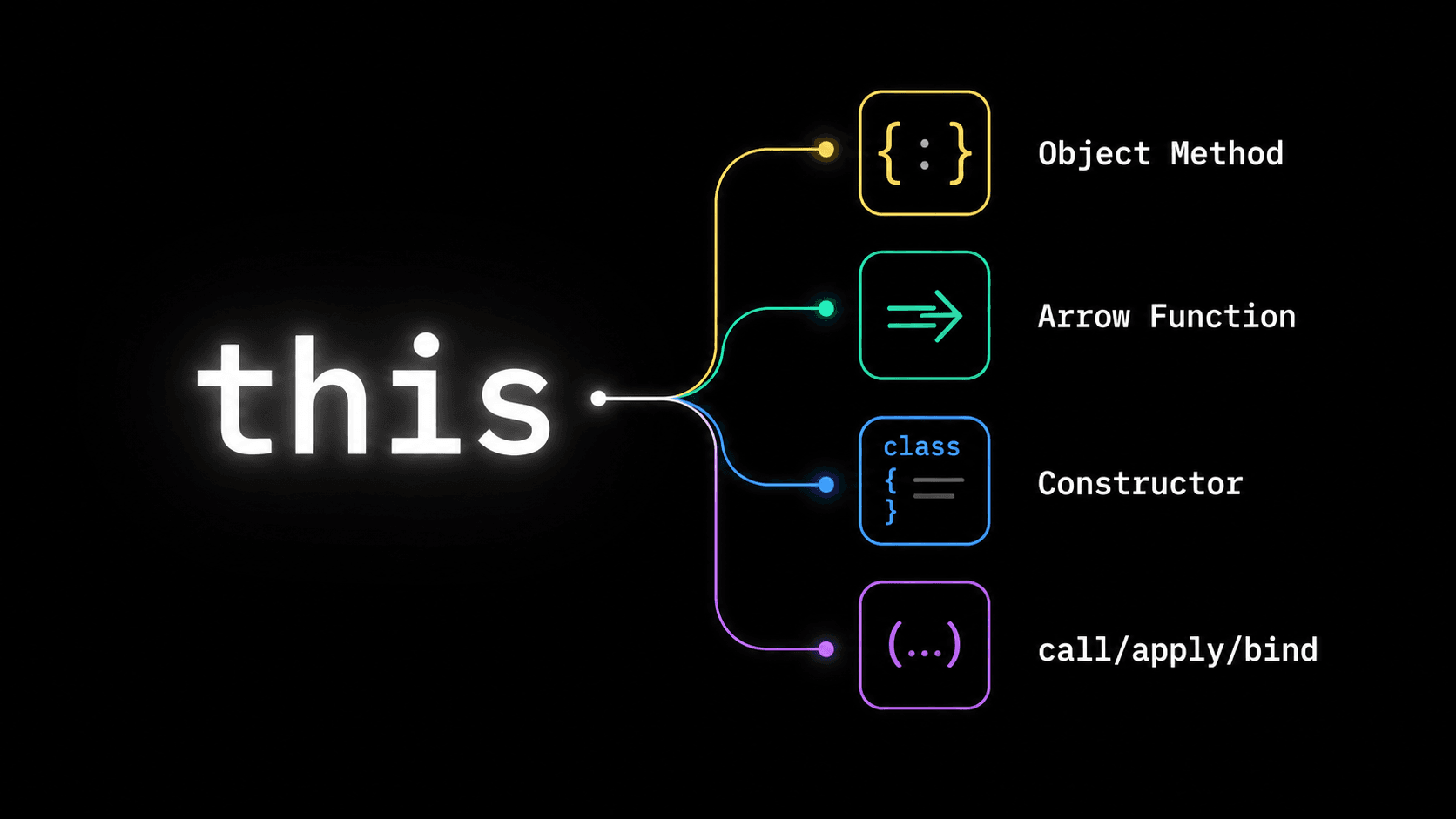
How the 'this' Keyword Works in JavaScript
The 'this' keyword confuses almost every JavaScript developer at some point because its value depends on how a function is called, not where it's written. This blog breaks down 'this' in every context - global scope, object methods, arrow functions, classes, and event handlers
Ask five JavaScript developers what this refers to inside a function, and you will probably get five different answers - all correct, because it depends on context. That's the whole problem with this. It is not a fixed value. It is not tied to where you wrote the function. It changes based on how the function gets called, and that single fact trips up beginners and experienced developers alike.
If you have ever logged this and gotten undefined when you expected an object, or watched a method break the moment you passed it as a callback, you have already met this problem. This blog explains why this behaves the way it does, walks through every context where it shows up, and shows you how to take control of it when you need to.
[IMAGE: A dark background diagram showing a function with an arrow pointing to different possible "this" values depending on how it's called - as a method, as a plain function, with new, and with call/apply/bind]
Why does 'this' even exist?
Most languages that support objects and methods need some way for a method to refer back to the object it belongs to, so it can read or update that object's own data. In JavaScript, that reference is this.
The twist is that JavaScript decides what this means at the moment a function is called, not at the moment it is defined. This is called the function's execution context. A single function can produce a completely different this value every time you call it, depending on how you call it. Keep that one idea in your head - call time, not write time - and most of the confusion around this disappears.
'this' in the global context
Outside of any function, this refers to the global object. In a browser, that's window. In Node.js at the top level of a module, this refers to an empty object called module.exports, not the global object - Node wraps your file in a function behind the scenes, which changes things slightly.
js
console.log(this);
// In a browser: Window {...}
// In a Node.js module: {}
You will rarely use this directly at the top level of your code. It matters more once you start writing functions and methods.
'this' inside a regular function
When you call a plain function on its own, without attaching it to any object, this depends on whether your code is running in strict mode.
js
function showThis() {
  console.log(this);
}

showThis();
// Non-strict mode: the global object (window in browsers)
// Strict mode ("use strict"): undefined
This is one of the reasons strict mode exists. Before strict mode, calling a plain function would silently set this to the global object, which caused bugs when developers accidentally modified global state without realizing it. Strict mode fixes that by leaving this as undefined instead, so mistakes show up immediately as errors rather than silently corrupting global variables.
'this' inside an object method
This is where this starts being genuinely useful. When you call a function as a method of an object, this refers to the object the method was called on.
js
const user = {
  name: "Aditi",
  greet() {
    console.log(`Hi, I'm ${this.name}`);
  }
};

user.greet(); // "Hi, I'm Aditi"
Here, this inside greet refers to user, because user is the object standing to the left of the dot when the method was called. That's the rule to remember: this refers to whatever is calling the function, not whatever object the function happens to be sitting inside of.
You can prove this by pulling the same function out and calling it differently.
js
const greetFn = user.greet;
greetFn(); // "Hi, I'm undefined"
Same function, same code, completely different result. greetFn() is called on its own, with nothing to its left, so this falls back to the global object (or undefined in strict mode) instead of user. Nothing about the function itself changed - only how it was called.
The classic bug: losing 'this' in a callback
This is the single most common place developers get bitten by this. Passing a method as a callback strips away the object it was attached to.
js
const timer = {
  seconds: 0,
  start() {
    setInterval(function () {
      this.seconds++;
      console.log(this.seconds);
    }, 1000);
  }
};

timer.start(); // logs NaN, not increasing numbers
Inside the callback passed to setInterval, this is no longer timer. The callback is invoked by setInterval itself, as a plain function call, so this points to the global object (or is undefined in strict mode), and this.seconds is not what you think it is. This exact pattern shows up constantly with event listeners, array methods, and timers - basically anywhere you hand a function off to something else to call later. If you've read our <a href="
this.There are three common fixes.
1. Use an arrow function, which does not have its own this and instead uses this from the surrounding code.
js
const timer = {
  seconds: 0,
  start() {
    setInterval(() => {
      this.seconds++;
      console.log(this.seconds);
    }, 1000);
  }
};
2. Save this in a variable before entering the callback, an older but still valid pattern.
js
start() {
  const self = this;
  setInterval(function () {
    self.seconds++;
    console.log(self.seconds);
  }, 1000);
}
3. Use .bind() to lock this to a specific value permanently.
js
start() {
  setInterval(function () {
    this.seconds++;
    console.log(this.seconds);
  }.bind(this), 1000);
}
All three work. Arrow functions are the most common fix in modern code, which brings us to how arrow functions actually handle this.
Arrow functions and lexical 'this'
Regular functions get their own this, decided fresh at call time. Arrow functions do not. An arrow function has no this of its own - it simply looks outward to the nearest enclosing regular function (or the surrounding scope) and uses that this. This is called lexical this, because it's based on where the function is written in your code, not how it's called.
js
const user = {
  name: "Rohan",
  greet: () => {
    console.log(`Hi, I'm ${this.name}`);
  }
};

user.greet(); // "Hi, I'm undefined"
This one trips people up because it looks like it should work like the earlier greet example, but it doesn't. Since greet is an arrow function here, it has no this of its own. It looks outward to the surrounding scope, which in this case is the top level of the file, not the user object. That's why arrow functions are a poor choice for object methods, but an excellent choice for callbacks nested inside a regular method, exactly like the timer example above.
[IMAGE: Side by side comparison diagram - regular function showing "this" determined by caller, arrow function showing "this" inherited from surrounding scope, with color coding correct in green and wrong in red]
'this' inside a class
Classes in JavaScript are mostly a cleaner syntax over the same object and prototype behavior, so the same call-time rule applies to methods defined inside a class.
js
class Counter {
  count = 0;

  increment() {
    this.count++;
    console.log(this.count);
  }
}

const counter = new Counter();
counter.increment(); // 1
Called as counter.increment(), this refers to counter, same as any object method. But the same callback trap from earlier applies here too - if you pass counter.increment as an event handler without binding it, this will not be counter anymore inside that callback. This is exactly why you'll often see class fields defined as arrow functions in React class components and similar codebases: writing increment = () => { this.count++ } locks this to the instance permanently, regardless of how the method later gets called.
'this' inside a constructor and with 'new'
When you call a function with the new keyword, JavaScript creates a brand new empty object, sets this to point at that new object inside the function, and returns it automatically (unless the function explicitly returns a different object).
js
function User(name) {
  this.name = name;
}

const u1 = new User("Kavya");
console.log(u1.name); // "Kavya"
Here, this inside User refers to the new object being constructed. Skip the new keyword and this breaks in an interesting way.
js
const u2 = User("Kavya");
console.log(u2); // undefined
console.log(name); // "Kavya" (leaked onto the global object in non-strict mode)
Without new, User is just called as a regular function, so this follows the regular function rule instead of the constructor rule, and any properties you set on it can leak onto the global object in non-strict mode. This is one of several reasons most modern JavaScript avoids old-style constructor functions in favor of classes, which throw an error if you forget new.
'this' inside DOM event handlers
In a plain event listener written as a regular function, this refers to the DOM element the event was attached to, not the code that triggered the handler.
js
button.addEventListener("click", function () {
  console.log(this); // the button element
  this.textContent = "Clicked!";
});
Switch that to an arrow function and this no longer refers to the button. It falls back to lexical scoping, same as anywhere else.
js
button.addEventListener("click", () => {
  console.log(this); // whatever "this" was in the surrounding code, not the button
});
This is a genuinely useful distinction to know: use a regular function when you actually want this to be the element, and an arrow function when you want this to stay tied to the surrounding context, like a class instance or a React component.
Taking control with call, apply, and bind
JavaScript gives you three built-in ways to explicitly set what this should be, instead of relying on how a function happens to get called.
call() invokes the function immediately, letting you set this and pass arguments one by one.
js
function introduce(city) {
  console.log(`${this.name} lives in ${city}`);
}

const person = { name: "Meera" };
introduce.call(person, "Pune"); // "Meera lives in Pune"
apply() does the same thing as call(), but takes arguments as an array instead of one by one. Useful when you already have your arguments packed into an array.
js
introduce.apply(person, ["Pune"]); // "Meera lives in Pune"bind() does not call the function right away. Instead, it returns a brand new function with this permanently locked to whatever you passed in, which you can call later.
js
const introduceMeera = introduce.bind(person);
introduceMeera("Pune"); // "Meera lives in Pune", any time you call it
bind() is the one you'll reach for most often in real code, especially for fixing the callback problem from earlier without switching to an arrow function.
Quick reference - what decides 'this'
How the function is called | What 'this' refers to |
|---|---|
Plain function call | Global object, or |
Object method call ( | The object to the left of the dot |
Arrow function |
|
Constructor call with | The newly created object |
| Whatever object you explicitly pass in |
| Permanently locked to whatever object you pass in |
DOM event handler (regular function) | The element the listener is attached to |
Common mistakes to avoid
The most frequent mistake is using an arrow function to define an object method, expecting this to refer to the object, when arrow functions actually look outward to the surrounding scope instead. The second most frequent one is passing a method as a callback (to setTimeout, addEventListener, .map(), array callbacks, and similar) without binding it first, which strips away the object context and leaves this pointing somewhere you didn't expect. Both come from the same root cause: forgetting that this is decided by how a function is called, not where it lives in your code.
If you're building anything with promises or async functions, the same rules still apply inside .then() callbacks and async functions, since neither of those change how this works on their own. Our <a href="
this inside class methods is what brought you here because of a React project, our <a href="https://codekk.dev/blog/how-react-useeffect-actually-works">useEffect deep dive</a> is a good next read, since closures and this-like scoping issues show up there too.this isn't random. It follows one consistent rule - it's set by how a function is called - with arrow functions as the one deliberate exception that looks outward instead. Once that clicks, every weird this bug you run into becomes a quick "how was this function actually called" question instead of a mystery.
Related Articles
More insights you might enjoy

Async/Await in JavaScript - How It Actually Works and Why It Exists
How async/await works in JavaScript - async functions, await, error handling, parallel vs sequential execution, and the most common mistakes explained.

JavaScript Closures - The Concept Interviewers Actually Test
Closures are one of the most asked-about JavaScript concepts in interviews, and also one of the most misunderstood. This blog explains what a closure actually is, why functions can remember variables from outside their own scope, and where closures show up in real code

Higher-Order Functions in JavaScript
Higher-order functions are one of the most important ideas in JavaScript, and you're probably already using them without realizing it. This blog explains what makes a function "higher-order," why they matter, and how methods like map, filter, and setTimeout all rely on this same simple idea.

React vs Next.js: What's Actually Different and When to Use Which
React and Next.js are often confused - one is a UI library, the other is a full framework built on top of it. This post breaks down the real differences: rendering strategies, routing, API routes, and when to pick one over the other.

How React's useEffect Actually Works - And Why Developers Misuse It
useEffect is one of the most used hooks in React and also one of the most misunderstood. This guide covers the dependency array, cleanup functions, the double render, and common mistakes that cause bugs.

Node.js and Express.js - What They Are, How They Differ, and How They Work Together
Node.js and Express.js are not the same thing. This guide explains what each does, how they work together, and covers routing, middleware, and error handling with real code.
Comments
Sign in to join the conversation