// src/components/SnapCursor/SnapCursor.tsx
"use client";

/**
 * CustomCursor — a context-aware cursor for the whole page
 * Stack: React + TypeScript + Tailwind CSS v4 + Motion (motion/react)
 * Deps:  npm i motion
 *
 * States (picked automatically from what's under the pointer):
 *  - default  → small dot + trailing ring
 *  - pointer  → ring swells into a solid disc over links / buttons (inverts colours)
 *  - text     → ring morphs into a caret sized to the text's line height
 *  - label    → large disc with a word inside, e.g. data-cursor-label="View"
 *  - hidden   → data-cursor="hide" on any element
 *
 * Override on any element:
 *   data-cursor="default" | "pointer" | "text" | "hide"
 *   data-cursor-label="Open"
 *
 * Only runs on devices with a mouse / trackpad (hover + fine pointer).
 * Touch devices keep their normal behaviour.
 */

import { useEffect, useState, useSyncExternalStore } from "react";
import {
  AnimatePresence,
  motion,
  useMotionValue,
  useReducedMotion,
  useSpring,
  type Transition,
} from "motion/react";

type CursorKind = "default" | "pointer" | "text" | "label" | "hide";

interface CursorState {
  kind: CursorKind;
  /** caret height for "text" */
  height: number;
  /** text shown for "label" */
  label: string;
}

export interface CustomCursorProps {
  /** Ring diameter at rest (px) */
  ringSize?: number;
  /** Disc diameter over links / buttons (px) */
  hoverSize?: number;
  /** Disc diameter when showing a label (px) */
  labelSize?: number;
  /** Show the caret over paragraphs and headings */
  textCaret?: boolean;
}

const INTERACTIVE =
  'a[href], button:not(:disabled), [role="button"], label[for], select, summary, input[type="checkbox"], input[type="radio"], input[type="submit"], input[type="button"], input[type="range"]';

const TEXT_INPUT =
  'input:not([type]), input[type="text"], input[type="email"], input[type="search"], input[type="url"], input[type="password"], input[type="number"], input[type="tel"], textarea, [contenteditable="true"]';

const TEXT_BLOCK =
  "p, li, h1, h2, h3, h4, h5, h6, blockquote, figcaption, dd, dt, td, th, pre, code";

const DEFAULT_STATE: CursorState = { kind: "default", height: 0, label: "" };

function lineHeightOf(el: Element): number {
  const cs = getComputedStyle(el);
  const lh = parseFloat(cs.lineHeight);
  const size = Number.isFinite(lh) ? lh : parseFloat(cs.fontSize) * 1.2;
  return Math.min(Math.max(size, 14), 80);
}

function resolveState(
  target: EventTarget | null,
  textCaret: boolean,
): CursorState {
  if (!(target instanceof Element)) return DEFAULT_STATE;

  // The nearest element carrying a cursor attribute wins
  const explicit = target.closest<HTMLElement>(
    "[data-cursor], [data-cursor-label]",
  );

  if (explicit) {
    const v = explicit.dataset.cursor as CursorKind | undefined;
    if (explicit.dataset.cursorLabel && v !== "hide") {
      return { kind: "label", height: 0, label: explicit.dataset.cursorLabel };
    }
    if (v === "hide") return { ...DEFAULT_STATE, kind: "hide" };
    if (v === "pointer") return { ...DEFAULT_STATE, kind: "pointer" };
    if (v === "text")
      return { kind: "text", height: lineHeightOf(explicit), label: "" };
    if (v === "default") return DEFAULT_STATE;
  }

  const input = target.closest(TEXT_INPUT);
  if (input) return { kind: "text", height: lineHeightOf(input), label: "" };

  if (target.closest(INTERACTIVE)) return { ...DEFAULT_STATE, kind: "pointer" };

  if (textCaret) {
    const block = target.closest(TEXT_BLOCK);
    if (block) return { kind: "text", height: lineHeightOf(block), label: "" };
  }

  return DEFAULT_STATE;
}

function useMediaQuery(query: string): boolean {
  return useSyncExternalStore(
    (onChange) => {
      const m = window.matchMedia(query);
      m.addEventListener("change", onChange);
      return () => m.removeEventListener("change", onChange);
    },
    () => window.matchMedia(query).matches,
    () => false,
  );
}

const shape: Transition = {
  type: "spring",
  stiffness: 500,
  damping: 34,
  mass: 0.6,
};

export default function CustomCursor({
  ringSize = 36,
  hoverSize = 60,
  labelSize = 92,
  textCaret = true,
}: CustomCursorProps) {
  const enabled = useMediaQuery("(hover: hover) and (pointer: fine)");
  const reduce = useReducedMotion() ?? false;

  const [state, setState] = useState<CursorState>(DEFAULT_STATE);
  const [visible, setVisible] = useState(false);
  const [pressed, setPressed] = useState(false);

  const mouseX = useMotionValue(-100);
  const mouseY = useMotionValue(-100);
  const ringX = useSpring(mouseX, { stiffness: 380, damping: 32, mass: 0.5 });
  const ringY = useSpring(mouseY, { stiffness: 380, damping: 32, mass: 0.5 });

  const followX = reduce ? mouseX : ringX;
  const followY = reduce ? mouseY : ringY;

  useEffect(() => {
    if (!enabled) return;

    const root = document.documentElement;
    root.classList.add("cc-active");

    const onMove = (e: PointerEvent) => {
      if (e.pointerType !== "mouse" && e.pointerType !== "pen") return;
      mouseX.set(e.clientX);
      mouseY.set(e.clientY);
      setVisible(true);
    };
    const update = (target: EventTarget | null) => {
      const next = resolveState(target, textCaret);
      setState((prev) =>
        prev.kind === next.kind &&
        prev.height === next.height &&
        prev.label === next.label
          ? prev
          : next,
      );
    };
    const onOver = (e: PointerEvent) => update(e.target);
    // Content moves under a still pointer while scrolling
    const onScroll = () =>
      update(document.elementFromPoint(mouseX.get(), mouseY.get()));
    const onOut = (e: MouseEvent) => {
      if (!e.relatedTarget) setVisible(false); // left the window
    };
    const onDown = () => setPressed(true);
    const onUp = () => setPressed(false);

    window.addEventListener("pointermove", onMove, { passive: true });
    document.addEventListener("pointerover", onOver);
    document.addEventListener("mouseout", onOut);
    window.addEventListener("pointerdown", onDown);
    window.addEventListener("pointerup", onUp);
    window.addEventListener("blur", onUp);
    window.addEventListener("scroll", onScroll, { passive: true });

    return () => {
      root.classList.remove("cc-active");
      window.removeEventListener("pointermove", onMove);
      document.removeEventListener("pointerover", onOver);
      document.removeEventListener("mouseout", onOut);
      window.removeEventListener("pointerdown", onDown);
      window.removeEventListener("pointerup", onUp);
      window.removeEventListener("blur", onUp);
      window.removeEventListener("scroll", onScroll);
    };
  }, [enabled, textCaret, mouseX, mouseY]);

  if (!enabled) return null;

  const { kind } = state;
  const shown = visible && kind !== "hide";
  const pressScale = pressed ? 0.8 : 1;

  const ring =
    kind === "pointer"
      ? {
          width: hoverSize,
          height: hoverSize,
          borderRadius: hoverSize / 2,
          borderWidth: 0,
          backgroundColor: "rgba(255,255,255,1)",
        }
      : kind === "text"
        ? {
            width: 2,
            height: state.height,
            borderRadius: 1,
            borderWidth: 0,
            backgroundColor: "rgba(255,255,255,1)",
          }
        : kind === "label"
          ? {
              width: labelSize * 0.4,
              height: labelSize * 0.4,
              borderRadius: labelSize,
              borderWidth: 0,
              backgroundColor: "rgba(255,255,255,0)",
            }
          : {
              width: ringSize,
              height: ringSize,
              borderRadius: ringSize / 2,
              borderWidth: 1.5,
              backgroundColor: "rgba(255,255,255,0)",
            };

  const layer = "pointer-events-none fixed left-0 top-0 z-[9999] size-0";
  const centered = "absolute left-0 top-0 -translate-x-1/2 -translate-y-1/2";

  return (
    <>
      <style>{`html.cc-active, html.cc-active * { cursor: none !important; }`}</style>

      {/* Ring — inverts whatever is beneath it */}
      <motion.div
        aria-hidden="true"
        className={`${layer} mix-blend-difference`}
        style={{ x: followX, y: followY }}
      >
        <motion.div
          className={`${centered} border-solid border-white`}
          initial={false}
          animate={{
            ...ring,
            opacity: shown && kind !== "label" ? 1 : 0,
            scale: pressScale,
          }}
          transition={shape}
        />
      </motion.div>

      {/* Dot — tracks the pointer exactly */}
      <motion.div
        aria-hidden="true"
        className={`${layer} mix-blend-difference`}
        style={{ x: mouseX, y: mouseY }}
      >
        <motion.div
          className={`${centered} size-1.5 rounded-full bg-white`}
          initial={false}
          animate={{ scale: shown && kind === "default" ? pressScale : 0 }}
          transition={{ duration: 0.15 }}
        />
      </motion.div>

      {/* Label disc */}
      <motion.div
        aria-hidden="true"
        className={layer}
        style={{ x: followX, y: followY }}
      >
        <AnimatePresence>
          {shown && kind === "label" && (
            <motion.div
              key="label"
              className={`${centered} grid place-items-center rounded-full bg-neutral-900 text-white shadow-xl dark:bg-white dark:text-neutral-900`}
              style={{ width: labelSize, height: labelSize }}
              initial={{ scale: 0, opacity: 0 }}
              animate={{ scale: pressScale, opacity: 1 }}
              exit={{ scale: 0, opacity: 0 }}
              transition={shape}
            >
              <AnimatePresence mode="wait" initial={false}>
                <motion.span
                  key={state.label}
                  className="px-2 text-center text-xs font-semibold uppercase tracking-wider"
                  initial={{ opacity: 0, y: 6 }}
                  animate={{ opacity: 1, y: 0 }}
                  exit={{ opacity: 0, y: -6 }}
                  transition={{ duration: 0.15 }}
                >
                  {state.label}
                </motion.span>
              </AnimatePresence>
            </motion.div>
          )}
        </AnimatePresence>
      </motion.div>
    </>
  );
}
// Component Source: https://codekk.dev/Component details
Overview, install command, dependencies, and project links.
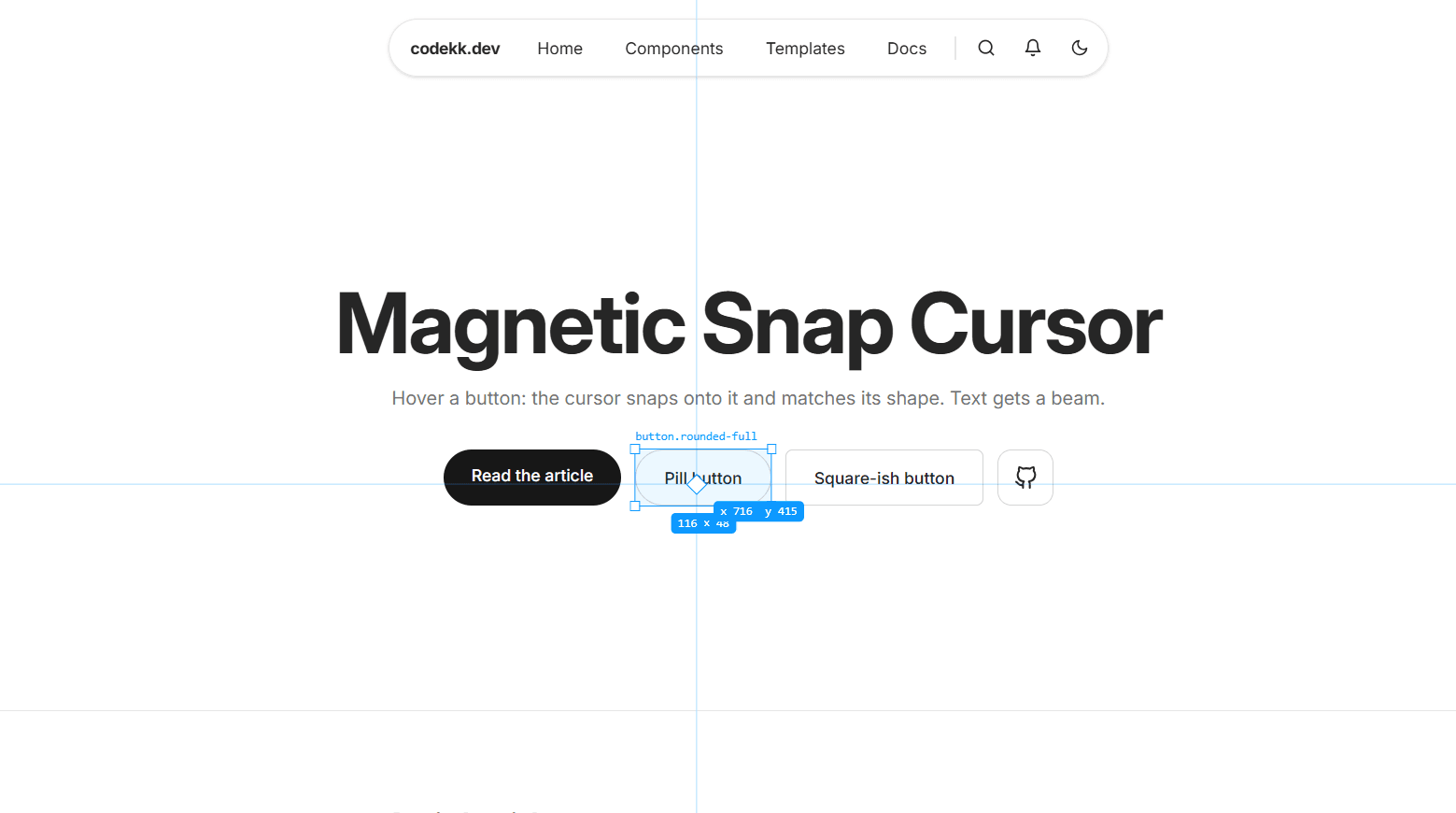
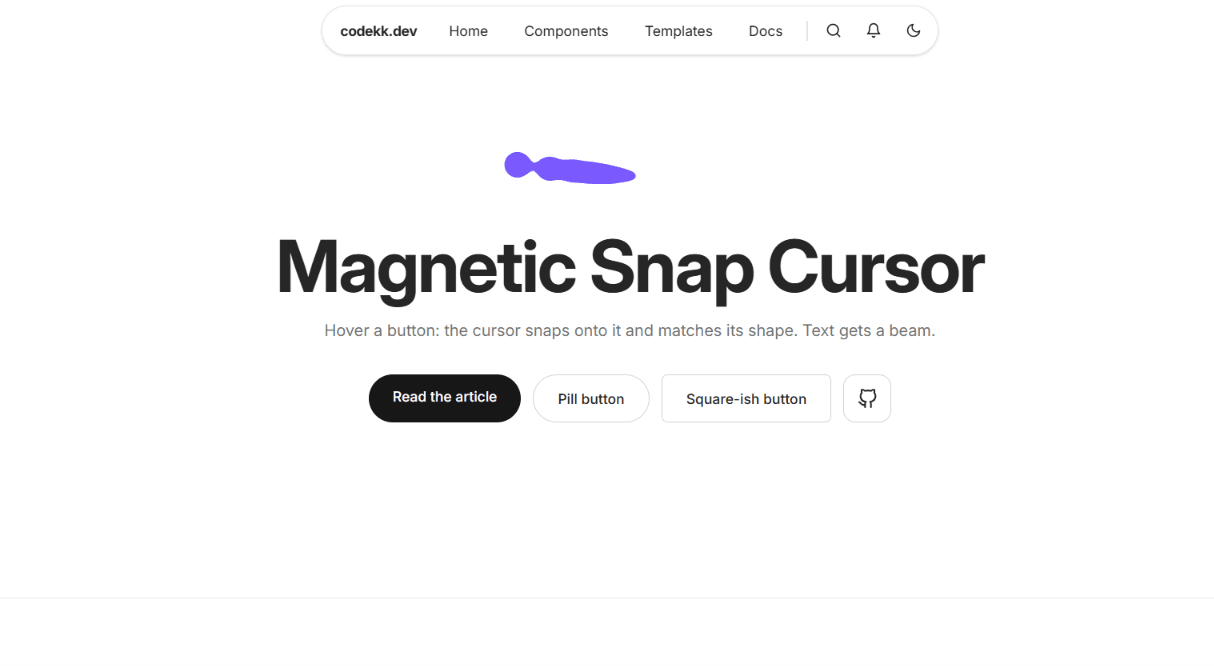
A context-aware snap cursor for React built with TypeScript, Motion, and Tailwind CSS v4. It checks what's under the pointer and snaps into a matching shape. By default, it's a small dot with a ring that trails slightly behind on a spring. Over links and buttons, the ring swells into a solid disc that inverts the colors beneath it with a difference blend mode, so it stays visible on light, dark, and image backgrounds. Over paragraphs, headings, and text inputs, it morphs into a thin caret that matches the line height of the text, so it grows over a large hero heading and shrinks over body text. Any element with data-cursor-label gets a large disc with a word inside, like "View" or "Open," which works well for project cards, galleries, and image links. Clicking squeezes the cursor slightly, like a button press. Data attributes give you control over any part of the page: hide the cursor in a section, force the disc on a non-link element, or turn off the caret on specific text. The nearest element with an attribute wins, so a label on a card overrides the caret for the text inside it. The cursor also updates while scrolling, so it changes shape when content moves under a still pointer. It only turns on for devices with a mouse or trackpad. On phones and tablets it doesn't render at all, and touch behavior stays normal. When prefers-reduced-motion is enabled, the ring follows the pointer directly instead of trailing, while shape changes stay. All cursor layers are hidden from screen readers and ignore pointer events, so clicks and keyboard navigation work exactly as before. It works in Vite, Create React App, and Next.js.
Install
npm install motionDependencies
Discussion
Feedback, implementation tips, and usage notes.
Comments
Sign in to join the conversation
Similar Components
More from the same category