Home/Blog/Node.js and Express.js - What They Are, How They Differ, and How They Work Together
Node.js and Express.js - What They Are, How They Differ, and How They Work Together
9 min readJun 11, 2026

Node.js and Express.js - What They Are, How They Differ, and How They Work Together

Node.js and Express.js are not the same thing. This guide explains what each does, how they work together, and covers routing, middleware, and error handling with real code.

0 views0 likes0 comments0 bookmarks

Node.js and Express.js - What They Are, How They Differ, and How They Work Together

If you are getting into backend development with JavaScript, two names come up almost immediately - Node.js and Express.js. A lot of beginners treat them as the same thing, or get confused about which one does what. Some tutorials even use them interchangeably without explaining the difference.

They are not the same thing. But they are closely related - and understanding how they fit together will make your backend code make a lot more sense.


Start With Node.js - JavaScript Outside the Browser

For most of its life, JavaScript could only run inside a browser. You could use it to make a webpage interactive, handle a button click, update the DOM - but that was it. It had no access to your file system, could not listen on a network port, could not connect to a database directly.

Node.js changed that.

Node.js is a runtime environment that lets you run JavaScript on your computer or server - completely outside the browser. It was built on Chrome's V8 JavaScript engine (the same engine that runs JavaScript in Google Chrome) and released in 2009.

With Node.js you can:

  • Read and write files on your server

  • Listen for incoming HTTP requests

  • Connect to a database

  • Run scripts and automation tasks

  • Build a fully functioning backend server

This was a big shift. Developers who already knew JavaScript could now use the same language for both frontend and backend. One language, full stack.


Building a Server With Just Node.js

Node.js has a built-in module called http that lets you create a web server. Here is what that looks like:

const http = require("http");

const server = http.createServer((req, res) => {
  if (req.url === "/" && req.method === "GET") {
    res.writeHead(200, { "Content-Type": "text/plain" });
    res.end("Welcome to the homepage");
  } else if (req.url === "/about" && req.method === "GET") {
    res.writeHead(200, { "Content-Type": "text/plain" });
    res.end("This is the about page");
  } else {
    res.writeHead(404, { "Content-Type": "text/plain" });
    res.end("Page not found");
  }
});

server.listen(3000, () => {
  console.log("Server running on port 3000");
});

This works. It is a real HTTP server. But look at what you have to do manually - check the URL, check the method, set the headers, write the response. Now imagine doing this for 20 different routes. Or handling JSON responses. Or reading data from request bodies. Or managing errors consistently across all routes.

It gets messy fast. That is the problem Express.js solves.


What Express.js Is

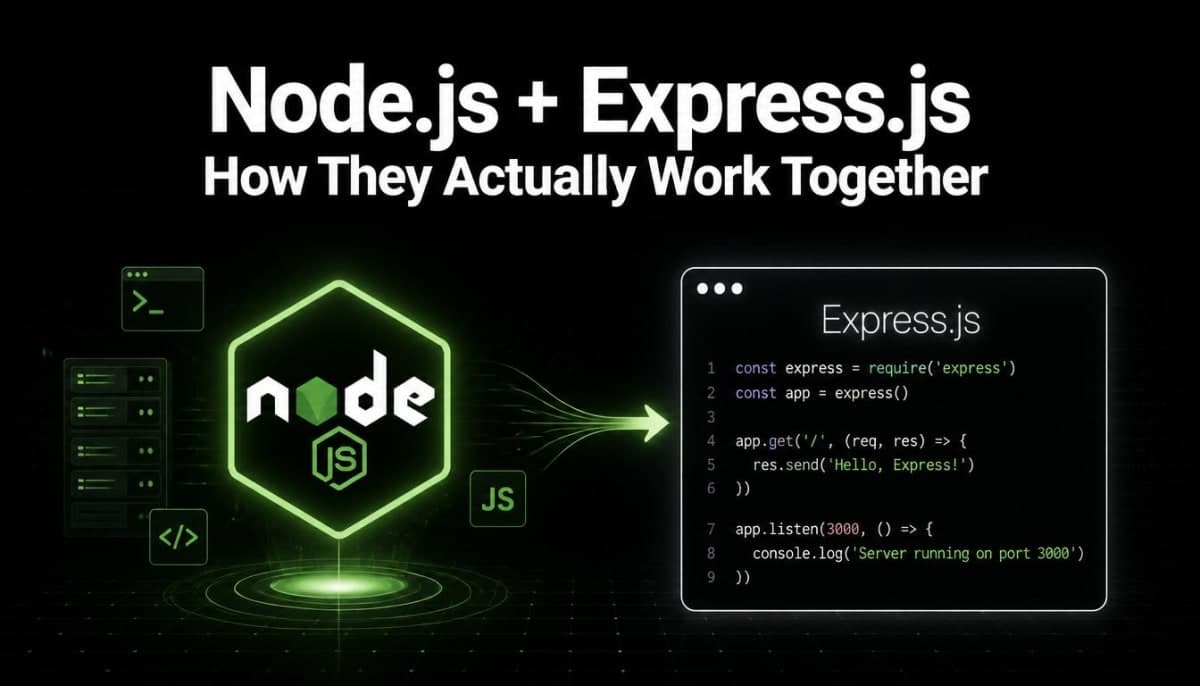
Express.js is a web framework built on top of Node.js. It does not replace Node.js - it sits on top of it and makes building web servers and APIs significantly less painful.

Express gives you:

  • A clean way to define routes

  • Easy access to request data (body, params, query strings, headers)

  • Middleware support - a way to run code between receiving a request and sending a response

  • Built-in error handling structure

  • A much cleaner, readable codebase

Here is the same server from above written with Express:

const express = require("express");
const app = express();

app.get("/", (req, res) => {
  res.send("Welcome to the homepage");
});

app.get("/about", (req, res) => {
  res.send("This is the about page");
});

app.listen(3000, () => {
  console.log("Server running on port 3000");
});

Same result. Half the code. Much easier to read and maintain.

Now imagine adding 15 more routes, handling POST requests, connecting to a database, and returning JSON responses. With plain Node.js http module, that becomes genuinely difficult to manage. With Express, it stays clean.


Routing in Express - How It Actually Works

Routing is one of the main things Express handles for you. A route in Express is a combination of an HTTP method (GET, POST, PUT, DELETE) and a URL path.

// GET request to /users - return all users
app.get("/users", (req, res) => {
  res.json({ users: [] });
});

// POST request to /users - create a new user
app.post("/users", (req, res) => {
  const newUser = req.body;
  // save to database...
  res.status(201).json({ message: "User created", user: newUser });
});

// GET request to /users/42 - return a specific user
app.get("/users/:id", (req, res) => {
  const userId = req.params.id; // "42"
  // fetch from database...
  res.json({ id: userId, name: "Rahul" });
});

// DELETE request to /users/42 - delete a specific user
app.delete("/users/:id", (req, res) => {
  const userId = req.params.id;
  // delete from database...
  res.status(204).send();
});

The :id in the route is a route parameter - Express extracts it automatically and makes it available at req.params.id. No manual URL parsing needed.

For query strings (like /users?role=admin), Express handles that too:

app.get("/users", (req, res) => {
  const role = req.query.role; // "admin"
  // filter users by role...
  res.json({ filtered: true, role });
});

Middleware - The Most Important Concept in Express

This is the concept that makes Express genuinely powerful and it is worth understanding properly.

Middleware is a function that runs between the incoming request and your route handler. It has access to the request object, the response object, and a next function that passes control to the next middleware or route.

Think of it as a pipeline. A request comes in, passes through one or more middleware functions, then reaches your route handler, then a response goes back.

Request -> Middleware 1 -> Middleware 2 -> Route Handler -> Response

Here is a simple logging middleware:

function logger(req, res, next) {
  console.log(`${req.method} ${req.url} - ${new Date().toISOString()}`);
  next(); // pass control to the next middleware or route
}

app.use(logger); // apply to all routes

Now every request to your server gets logged automatically. You wrote it once, it runs everywhere.

Built-in middleware you will use constantly:

// Parse incoming JSON request bodies
app.use(express.json());

// Parse URL-encoded form data
app.use(express.urlencoded({ extended: true }));

// Serve static files (HTML, CSS, images) from a folder
app.use(express.static("public"));

Without express.json(), if someone sends a POST request with a JSON body, req.body would be undefined. That middleware parses the raw request body and makes it available as a JavaScript object.

Route-specific middleware:

Middleware does not have to apply to all routes. You can apply it to specific ones:

function isAuthenticated(req, res, next) {
  const token = req.headers.authorization;

  if (!token) {
    return res.status(401).json({ error: "No token provided" });
  }

  // verify token...
  next();
}

// Only authenticated users can access this route
app.get("/dashboard", isAuthenticated, (req, res) => {
  res.json({ message: "Welcome to your dashboard" });
});

This is how authentication, logging, input validation, and rate limiting are typically handled in Express apps - as middleware that sits in front of your route handlers.


Organizing Routes - Express Router

As your app grows, putting all routes in one file becomes unmanageable. Express has a built-in Router that lets you split routes into separate files.

// routes/users.js
const express = require("express");
const router = express.Router();

router.get("/", (req, res) => {
  res.json({ users: [] });
});

router.post("/", (req, res) => {
  res.status(201).json({ message: "User created" });
});

router.get("/:id", (req, res) => {
  res.json({ id: req.params.id });
});

module.exports = router;
// index.js - main server file
const express = require("express");
const userRoutes = require("./routes/users");

const app = express();
app.use(express.json());

app.use("/users", userRoutes); // all user routes are now at /users/*

app.listen(3000, () => console.log("Server running on port 3000"));

Now /users maps to router.get("/"), /users/42 maps to router.get("/:id"), and so on. Clean, organized, and easy to scale.


Error Handling in Express

Express has a specific way to handle errors - a middleware with four parameters instead of three:

// Normal middleware - 3 params
app.use((req, res, next) => { });

// Error handling middleware - 4 params (err is first)
app.use((err, req, res, next) => {
  console.error(err.stack);
  res.status(500).json({ error: "Something went wrong" });
});

You place this at the end of your middleware chain, after all routes. When any route or middleware calls next(err) with an error, Express skips all regular middleware and jumps straight to this error handler.

app.get("/users/:id", async (req, res, next) => {
  try {
    const user = await getUserFromDatabase(req.params.id);
    if (!user) return res.status(404).json({ error: "User not found" });
    res.json(user);
  } catch (err) {
    next(err); // passes error to the error handling middleware
  }
});

What Node.js Does That Express Does Not Touch

Express handles routing, middleware, and HTTP request/response management. But Node.js itself handles everything at the lower level - and there are things you use directly from Node.js that Express does not abstract away.

File system operations:

const fs = require("fs");

// Read a file
fs.readFile("data.txt", "utf8", (err, data) => {
  if (err) throw err;
  console.log(data);
});

// Write a file
fs.writeFile("output.txt", "Hello World", (err) => {
  if (err) throw err;
  console.log("File written");
});

Environment variables:

const port = process.env.PORT || 3000;
const dbUrl = process.env.DATABASE_URL;

Working with paths:

const path = require("path");
const filePath = path.join(__dirname, "public", "index.html");

These are Node.js built-ins. Express does not replace them - you use both together in a real app.


A Real World Picture - How They Work Together

Here is what a typical small Express API looks like when everything comes together:

const express = require("express");
const app = express();

// Middleware
app.use(express.json());

// Simple in-memory data for this example
let users = [
  { id: 1, name: "Rahul", email: "rahul@example.com" },
  { id: 2, name: "Priya", email: "priya@example.com" },
];

// Routes
app.get("/users", (req, res) => {
  res.json(users);
});

app.get("/users/:id", (req, res) => {
  const user = users.find(u => u.id === parseInt(req.params.id));
  if (!user) return res.status(404).json({ error: "User not found" });
  res.json(user);
});

app.post("/users", (req, res) => {
  const { name, email } = req.body;
  if (!name || !email) {
    return res.status(400).json({ error: "Name and email are required" });
  }
  const newUser = { id: users.length + 1, name, email };
  users.push(newUser);
  res.status(201).json(newUser);
});

app.delete("/users/:id", (req, res) => {
  const index = users.findIndex(u => u.id === parseInt(req.params.id));
  if (index === -1) return res.status(404).json({ error: "User not found" });
  users.splice(index, 1);
  res.status(204).send();
});

// Error handler
app.use((err, req, res, next) => {
  console.error(err.stack);
  res.status(500).json({ error: "Internal server error" });
});

app.listen(3000, () => console.log("Server running on http://localhost:3000"));

This is a working REST API. Node.js is the engine running this whole thing. Express is the structure that makes it clean and readable.


Side by Side - What Each One Is

Node.js

Express.js

What it is

JavaScript runtime environment

Web framework built on Node.js

Created by

Ryan Dahl (2009)

TJ Holowaychuk (2010)

Purpose

Run JavaScript outside the browser

Make building web servers easier

Routing

Manual, verbose

Clean and built-in

Middleware

Not included

Core feature

Without the other

Can build servers, just verbose

Cannot exist without Node.js

Use it for

File system, scripts, running JS

APIs, web apps, REST services


Do You Always Need Express With Node.js?

Not always. If you are writing a script that processes files, runs a cron job, or does some data processing - you just need Node.js. Express is specifically for building web servers and APIs.

But if you are building any kind of API or web backend that receives HTTP requests - Express (or another framework like Fastify or Hapi) will save you a lot of time compared to working with the raw Node.js http module.

For most backend JavaScript projects, the answer is yes - you will use both.


The Bottom Line

Node.js is what makes JavaScript work on the server. Express is what makes building server-side applications with Node.js practical and maintainable.

You cannot use Express without Node.js. But you can use Node.js without Express - you just end up writing a lot more code to do the same things.

If you are getting into backend JavaScript development, learn them in order. Spend a little time with plain Node.js first so you understand what Express is actually doing for you. Then pick up Express - and the structure it provides will immediately make sense because you have seen the problem it solves.

Comments

Sign in to join the conversation